The distinction for businesses today is whether AI can interact in a reliable way with what fuels day-to-day operations. McKinsey’s 2025 global AI survey found that 88% of businesses use AI in one or more functions, up from 78% a year ago. The more challenging issue arises from why so few companies turn that use into an enterprise-level impact at all. As of the same report, just 39% of respondents said AI made a measurable EBIT impact across the enterprise, but many deployments were still stuck in pilots or single use cases.
So this is why the true challenge of AI isn’t model access at all anymore. Everyone can call an API. The challenge is system access, clean data flows, permissions, observability, and workflow design. Just 1% of leaders report their company has reached maturity in AI deployment, or the extent to which AI is embedded into workflows and contributing to actual business outcomes, McKinsey says.
agentic AI exhibits the same pattern. 23% of organizations are already scaling agentic AI somewhere in the enterprise, while another 39% are experimenting, according to McKinsey. But at any one business function, no more than 10% are scaling AI agents. That makes sense: agents aren’t simply chat interfaces. They require access to tools and workflows, human-approval points, audit trails, and rollback logic before they can safely function inside production systems.

Therefore, the AI workflow integration value is not in adding ChatGPT. It is about incorporating AI into the business stack without compromising security, data quality, compliance, or current operations.
Why AI Integration Is the Real Challenge
Most companies fail because the model has no reliable way to operate. A standalone LLM can summarize, draft, classify, and answer generic questions. But enterprise value starts only when AI connects to the systems where work actually happens: CRMs or databases. Without that connection, AI stays in demo mode. It can talk about the business, but it cannot safely act inside the business.
The reason is integration debt. Business data is usually fragmented across disparate business systems and data sources. An LLM cannot deliver reliable answers or trigger safe actions if it cannot access the right data, understand permissions, and write back to the right system.
IBM’s 2025 CEO study shows the same problem in numbers. Half of the CEOs surveyed said their companies had been left with disconnected, piecemeal technology from rapid tech investment. Only 16% of AI initiatives had scaled enterprise-wide, and only 25% had delivered expected ROI over the last few years.
This is why AI integration services are becoming a core part of enterprise projects. A chatbot becomes useful when it can read customer history from the CRM. A sales assistant becomes valuable when it can update pipeline stages, draft follow-ups, and surface account risks. An operations agent becomes real when it can check ERP inventory and flag anomalies before they hit finance or delivery.
Most Common AI Integrations
AI integration usually starts with the systems that already hold business context or control daily operations.
CRM AI Integration
CRM AI Integration connects an LLM or AI agent to platforms like Salesforce, HubSpot, Zoho, Pipedrive, or Microsoft Dynamics. The AI layer can read customer profiles, deal history, pipeline stages, notes, emails, support tickets, and previous interactions. Instead of asking a sales manager to search through records manually, the system can automate sales workflow tasks through approved API calls.
Technically, this usually works through CRM REST APIs, OAuth authentication, webhooks, and a middleware layer that controls what the AI can read or change. The LLM does not directly “own” the CRM, though. It receives structured context from the integration layer, reasons over it, and then sends a tool call back to the backend if an action is allowed.
For business teams, the value is simple: streamlined sales operations. A CRM stops being just a database and becomes an active workspace where AI helps teams move deals forward.
AI ERP Integration
AI ERP integration is usually more complex because ERP systems control critical business operations. Platforms like SAP, Oracle NetSuite, Microsoft Dynamics 365, Odoo, and custom ERP systems often contain the most sensitive and operationally important data in the company.
An AI layer can help users query ERP data in natural language, detect anomalies in invoices, forecast stock shortages, compare supplier performance, explain financial changes, or automate repetitive operational workflows. For example, a manager can ask the AI which suppliers are causing fulfillment risks this month. The system returns a clear explanation with source records after pulling structured data from ERP modules and applying business rules.
Slack AI Integration
Slack integration gives AI access to the company's communication layer. The AI can work as an internal assistant that answers questions, summarizes threads, creates tasks, routes requests, or connects employees to data from other systems without forcing them to leave Slack.
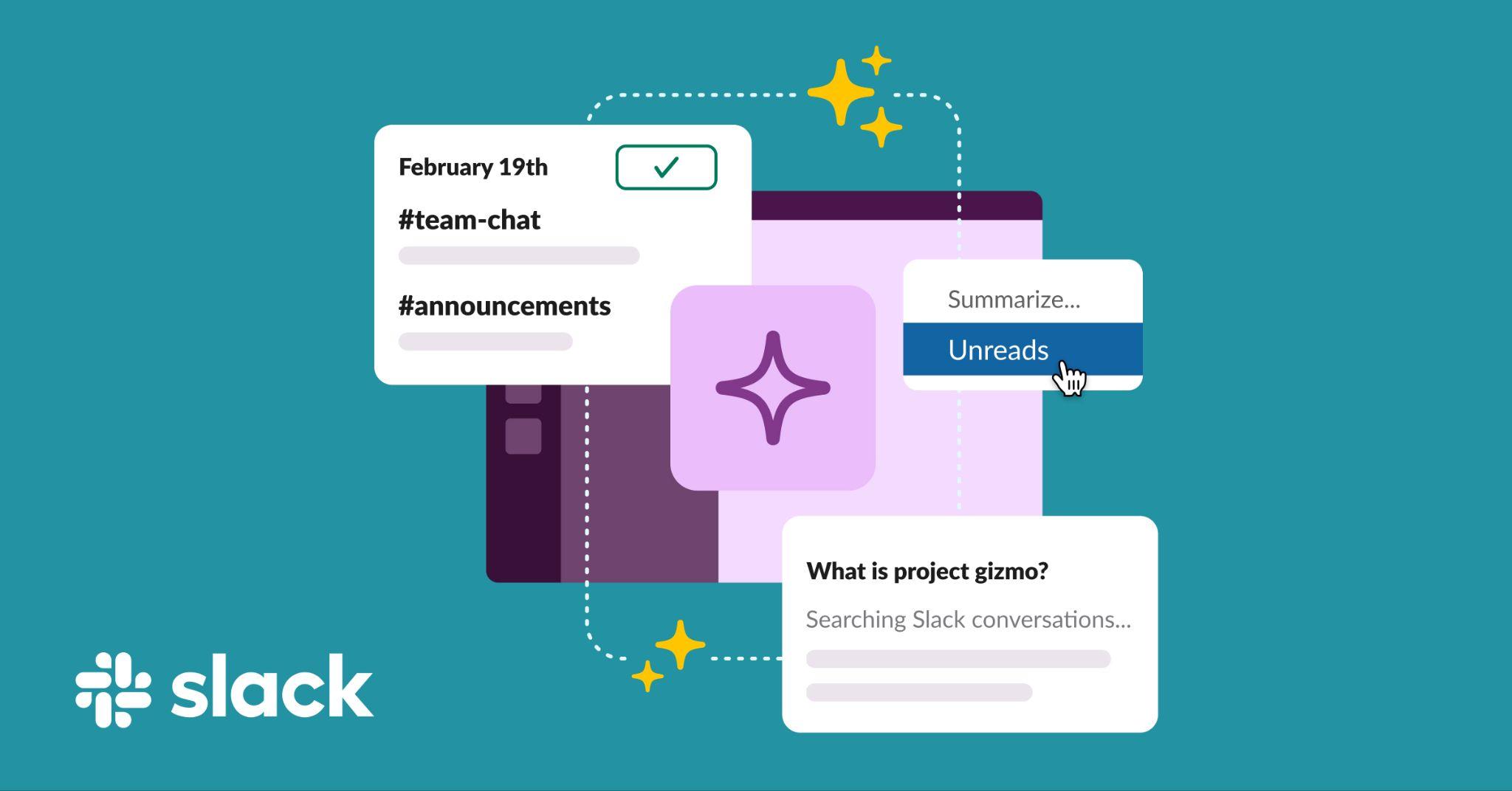
How it works: The AI receives a user request from a Slack channel or direct message. It then passes this request to the backend. After that, it retrieves the necessary data from connected systems. Finally, it returns a response inside Slack. For example, an employee can ask, “What is the status of the Acme deal?” and the AI can show the next scheduled action.
The strongest use case is workflow compression. Slack becomes the interface, while the AI integration layer connects to CRMs, ERPs, project management tools, docs, and databases in the background.
Shopify AI Integration
Shopify Integration bridges the gap between AI and e-commerce: products, orders, customers, inventory, discounts, returns, and storefront behavior. The AI can:
- assist merchants in the writing of product descriptions;
- answer customer questions;
- suggest products to purchase;
- identify order issues;
- analyze customer segments;
- automate store operations.
These integrations with Shopify AI typically operate via the Shopify Admin API, Storefront API, webhooks, and app extensions.
The commercial value is clear to e-commerce teams. AI can help alleviate support load, better product discovery, accelerate content operations, and allow teams to react faster to issues related to inventory or conversions. Rather than a static catalog in the store, AI is turning it into a more dynamic commerce machine.
WhatsApp AI Integration
WhatsApp integration is usually built for customer communication and engagement. For many businesses, WhatsApp is where customers already expect fast replies.

Developers use the WhatsApp Business Platform API or providers that sit on top of it. The backend receives incoming messages through webhooks, the AI layer processes them, pulls data from CRM, ERP, Shopify, or internal databases, and returns structured responses. The AI can answer FAQs, check order status, qualify a lead, book a slot, or escalate the conversation to a human agent.
The important part is state management. WhatsApp conversations are not single prompts, which means the system must continuously maintain awareness of who the customer is and what has already been discussed while interpreting the current objective of the interaction within the scope of actions the business allows it to perform.
Internal Database AI Integration
With that, internal database integration is one of the most powerful use cases because it gives AI access to company-specific truth. This can be via PostgreSQL, MySQL, MongoDB, BigQuery, Snowflake, internal admin panels, analytics warehouses, product databases, or custom operational systems.
Instead of forcing employees to navigate dashboards, export spreadsheets, or wait for analysts, AI becomes a direct interface to operational data. Sales can ask why a specific account stopped ordering. An employee on the finance team may ask for a breakdown of unusual transactions. The AI is the link between user and data, and transforms business questions into actionable answers, extracting intelligence from the systems where the data already lives.
How AI Integrations Work
LLM integration links an LLM or AI agent to the systems, data sources, and workflows that a business presently relies upon. Instead of only acting on the model’s training data, the AI can find company information, obey relevant business rules, and connect with other apps. Most of the AI integrations have three basic layers:
- User interface: interface with AI, i.e., chatbot, web app, customer relationship management (CRM), or messaging tool.
- Orchestration layer: manages prompts, context, permissions, and tool usage.
- Business systems: connected platforms such as CRMs, ERPs, databases, document repositories, and internal applications.
Typically, it begins just when a user generates a request. The system recognizes the user, validates the permission with the user, and pulls relevant data from connected data sources. The LLM can generate an answer for this context, considering real-world business data. If the request is something that needs to get done, the model can call an authorized tool or backend function. It might issue, for instance, a support ticket, modify a CRM record or fetch inventory data.

Security and governance are integral to the architecture. Access controls decide what data is visible to users, while logging and monitoring show the model outputs and performance. Organizations will normally incorporate human approval steps in sensitive workflows, which help limit actions to be completed by the right individuals at the right time.
A typical AI integration flow looks like this:
- A user submits a request.
- The system verifies identity and permissions.
- Relevant business data is retrieved.
- The orchestration layer prepares context and instructions.
- The LLM generates a response or requests a tool action.
- The backend validates and executes approved actions.
- Results are returned and logged.
When done right, AI can answer questions, retrieve information, automate tasks, and support decision-making across the organization.
API-Based AI Architecture
API-based AI architecture is one of the most common ways to connect AI with existing business software. Using APIs, companies expose specific functions and let AI use them in a controlled and secure manner instead of rebuilding entire systems from scratch.
A typical AI API integration architecture includes a frontend interface, backend services, an LLM, API connectors, business systems, and monitoring tools. When a user submits a request through a chatbot, web app, CRM widget, or internal tool, the backend authenticates the user, checks permissions, prepares context, and sends the request to the AI model. If the model needs information or wants to perform an action, it triggers an approved function that the backend translates into an API call.
For instance, a sales manager might inquire as to which leads haven’t been contacted this month. The backend retrieves the necessary CRM data using an API and checks the filtering in terms of permissions, and the results are shown to the AI. In the event that the manager wants follow-up tasks introduced, then a server validates the request, and in another call using the API, the CRM is updated.
The main benefit of this solution structure is control. APIs establish boundaries of what the AI can access and alter. Businesses can also define permissions, approval workflows, and security policies to ensure AI is a governed software part.
API-based integration works especially well with platforms such as Salesforce, HubSpot, SAP, Shopify, Zendesk, Jira, and Microsoft Dynamics. Webhooks can also trigger AI actions automatically when events occur, such as new support tickets or ecommerce orders.
Another advantage is speed. Companies can add AI capabilities without replacing existing systems, making it a practical path from experimentation to production. But success relies on the availability of a dependable set of APIs, and on data consistency and security rules that will protect that data.
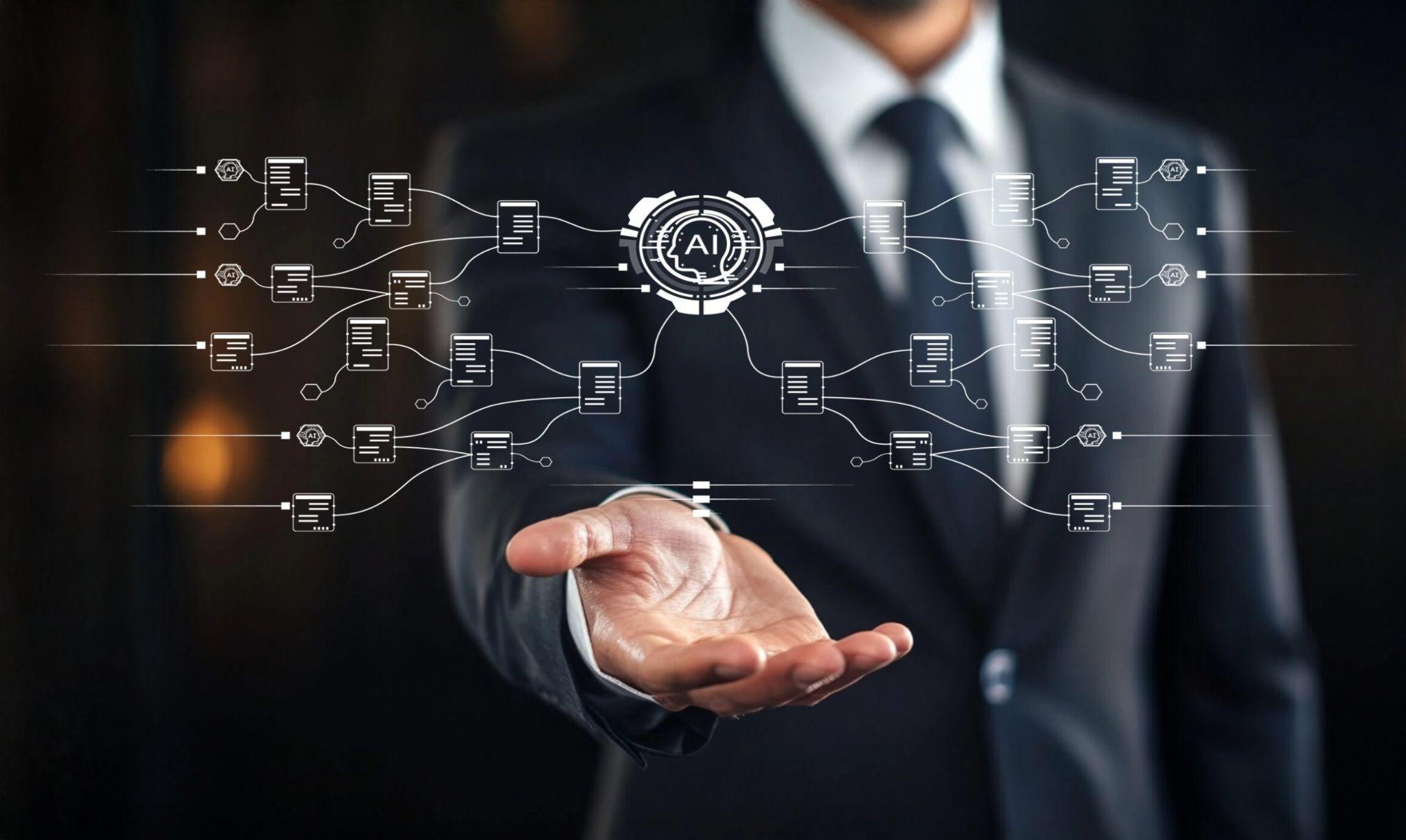
For most organizations, API-based AI architecture is the fastest and most scalable way to connect AI with live business operations while maintaining control over data, permissions, and automated actions.
Security and Compliance Challenges
According to IBM’s 2025 Cost of a Data Breach Report, the average cost of a data breach worldwide was $4.44 million. Verizon’s 2025 Data Breach Investigations Report revealed that around 60% of breaches had a human element, and third-party involvement rose dramatically from 15% to 30%. Both points matter for companies developing AI integrations. AI systems frequently occupy precisely the intersection of human requests, third-party platforms, APIs, credentials, and business data.
First, there is the issue of access control. An AI assistant that connects to a CRM should not show every customer record to every employee. A Slack AI bot must never leak private channel content into public answers. Integration should use the same permissions as its underlying systems and ideally stricter ones.
This is why role-based access control, identity management, and permission-aware retrieval are essential right from the start. The system needs to understand who the user is, which department they belong to, what records the user is allowed to access, and what actions they can perform.
The second challenge is in the area of data leakage. Secure AI integration mitigates this risk by ensuring employees have an approved AI interface that also adheres to company rules. So the company can dictate what data is recovered, what is cloaked, what is logged, and what is blocked. Thus, AI integration will significantly impact security since it substitutes uncontrolled AI use for governed AI infrastructure.
The third barrier is prompt injection and tool abuse. If an AI system can fetch documents, attackers can manipulate it by using malicious commands embedded in emails, tickets, documents, web pages, or user messages. A support ticket potentially holds written text instructing the model to discard preceding rules. The instructions could come as a document indicating the necessity to release classified information. A customer message might try to trick the system into changing an order or giving a refund.
This is the reason production AI systems need tool boundaries. The LLM should not make such decisions without restraint. It has to navigate predefined backend functions with validation, approval logic, and audit logs. The model may script a refund response, but the refund does have to go through business rules and, in some cases, human verification before it's valid.
Compliance also requires you to add an additional layer. Companies dealing with healthcare, finance, legal, ecommerce, HR, or public sector must consider GDPR, HIPAA, SOC 2, ISO 27001, PCI DSS, data residency, retention policies, consent, and auditability.

Still, all these challenges don’t lead us to not use AI at all, because the following numbers will impress you. AI can also improve security at the same time. AI-enabled defense measures for breaches also contributed to a major reduction in global breach cost: AI-driven defenses helped organizations to find them faster, causing average breach costs to fall worldwide by 9% in 2025, IBM said. Average time to detect and control a breach fell to 241 days, the lowest level in nine years. In previous IBM research, companies employing security AI and AI automation also reported a much reduced breach cost compared to those that did not.
This provides an important reminder for AI integration projects: that is, that AI is more than just a security vulnerability. If you can do it right, it can be baked into the defense mechanism.
Real Integration Use Cases
The best way to understand AI integration is to look at what happens when AI is connected to real systems.
Morgan Stanley: AI Connected to Internal Knowledge and CRM Workflows
Morgan Stanley reveals a fresh perspective on integration: AI for internal expert productivity at the firm. It developed AI tools with OpenAI for wealth management teams, which provided financial advisers with immediate access to internal research.
The AI @ Morgan Stanley Assistant, which assists advisors with a vast storehouse of internal knowledge, seeks or summarizes large amounts of input from within the firm. Nearly all advisor teams now use Morgan Stanley’s AI tools daily, according to OpenAI, and more than 98% use them for wealth management. Access to documents has reportedly jumped from 20 percent to 80 percent, allowing advisors to identify useful information much faster and no longer need to go back and forth manually across their internal repositories.

Morgan Stanley also announced AI @ Morgan Stanley Debrief, an assistant that creates meeting notes with client consent, extracts action items, writes follow-up emails, and saves notes to Salesforce. Let’s highlight the last point because it shows where AI integration comes into operation; the system summarizes a meeting and, more importantly, joins the output with routine CRM workflow in which advisor activity is tracked and maintained.
Walmart: AI Integrated Into Retail Operations and Supply Chain Management
Walmart is a powerful example of integrating AI at enterprise scale. Instead of limiting AI to customer-facing chatbots, a broader integration of AI can be seen throughout the company’s supply chain operations, inventory management, merchandising, and employee workflows. These systems are integrated through Walmart’s logistics networks, store operations, and data platforms, embedding AI in decision-making that touches millions of products and customers every day.
And in one significant area, inventory and supply chain optimization. Walmart uses AI to forecast demand, recognize stock shortages, make replenishment decisions, and also increase distribution center efficiency. By combining AI with real-time sales data, warehouse procedures, and supplier networks, the company is able to respond more quickly to different customer demands.

Walmart has also rolled out AI-powered tools for employees, helping store associates find products, answer operational questions, and complete routine tasks faster. One such would be Walmart’s application of generative AI in its product catalog management. AI systems assist in creating and enhancing product descriptions and catalog data, along with the organization of merchandising workflows for millions of goods. Because these tools are linked directly to Walmart’s commerce platforms and other internal systems, their outputs can be reviewed and integrated into current business processes without necessitating additional manual work.
Common Mistakes in AI Integrations
The most frequent mistake is to begin with the model, not the workflow. A company selects an LLM, constructs a chatbot, and only later inquires as to where it should obtain data or what business process it should improve. This typically results in an elegant demo that is not equipped to work in the real world.
A second concern is the lack of sufficient data preparation. AI can’t operate very effectively, and with great difficulty, when business data is scattered and contradictory across systems. Before integration, the company should understand where the source of truth is and how information needs to flow through the network.
Many teams also grant AI far too much freedom too early. They will allow the model to take action without sufficient validation from the team. Every action taken in production must clear all the way back through permissions, business rules, and logging. The LLM can recommend or ask for an action, but the backend must determine whether or not it is allowed.
Security comes too late. This has created a lot of issues, as AI integrations interact with sensitive business systems from day one. Rather than thinking of security as an extra to add after it’s launched, companies ensure it’s built into the architecture from day one—with the infrastructure for each request, action, and data exchange as rigorous as the way the rest of the business operates.
Equally, there is another common mistake, one that is treating integration like it is a once-in-a-lifetime deal. The environment, in addition to the AI system, in reality, never remains the same. Business processes evolve, software platforms get updated, and data goes through system changes. The practical application of an AI solution, therefore, requires sustained monitoring and adjustment after release. Without that attention, the performance slowly declines, and teams become more and more skeptical about the tool.

The real problem behind most failed AI integrations is not the lack of AI capability. It is poor architecture around the model. When we start doing that (delineating the workflow, ensuring secure system access, cleaning the data path, embedding AI into operations incrementally), then businesses tend to generate better outcomes.
Choosing the Right AI Integration Strategy
The right AI integration strategy depends on what the business wants the system to do. A company that needs faster document search does not need the same architecture as a company that wants AI to update CRM records. A simple way to choose the right path is to start with the workflow.
Do you only need AI to answer questions from company documents?
Start with a RAG-based integration. This works best when the business has data that employees need to search faster. The AI retrieves relevant content from approved sources and generates answers based on that context. It is a strong starting point because it gives teams quick access to knowledge without letting the model change business records.
Do you need AI to work with live business data?
Move toward API-based integration. This is the right option when the AI needs to check CRM records, retrieve ERP data, read order status, pull inventory information, or access analytics dashboards. APIs enable the system to work with real-time data while maintaining controlled access.
Do you need AI to perform actions inside business systems?
Use a tool-based or agentic architecture. The important rule is that the model should not execute actions directly. It should request actions through backend functions that enforce business rules and approval logic.
Do you work with sensitive data or regulated processes?
Choose a security-first architecture from the beginning. Healthcare, finance, legal, HR, and enterprise operations need stricter access control, audit logs, data masking, approval flows, and compliance rules. In these cases, speed is less important than reliability. The AI system must be designed around permissions and traceability.
Do your systems have weak APIs or legacy infrastructure?
Start with an integration audit. Some companies cannot move directly into advanced AI automation because their systems are simply not ready. In this case, the first step is not the model. It is mapping the data sources and deciding whether the company needs middleware, data synchronization, or a custom access layer.
The most effective strategy does not have to be the most complicated. It is the one that aligns with the workflow, data sensitivity, system maturity, and business goal.
QuantumCore supports companies in selecting and implementing the most effective AI integration strategy, from technical audits and architecture design to CRM, ERP, API, internal system integrations, and more. If you want to understand where in your company AI can create genuine value and how to safely incorporate it into your firm’s current technology stack, we recommend talking to a consulting expert at QuantumCore!
Contact us today!
FAQ
Can AI integrate with legacy systems?
Yes, though it is more complex. While modern cloud-based systems use standardized APIs, legacy systems may require custom "wrappers" or middleware to facilitate communication.
Can AI access both cloud and on-premise systems?
Yes. AI architectures are designed to be adaptable and can be configured to bridge data from both environments.
What is the difference between synchronous and asynchronous integration?
Synchronous: The system waits for an AI response before moving to the next step (used for real-time needs like customer service responses).
Asynchronous: The system triggers an AI task and continues other operations, picking up the result when ready (used for heavy data processing or long-running tasks).
How is performance measured?
Metrics vary by use case but often include latency (speed of response), accuracy/error rates, task completion success rate, and human-in-the-loop intervention frequency.